Updated September 2026. Every price, platform list and store detail below was checked against the developer’s own website or an official app-store listing on 11 September 2026. Where a developer does not publish something, this guide says so instead of guessing.
Choosing an IPTV app in Canada is not really a question of which one is “the best”. It is a question of what your device can run, which kind of login your subscription gives you, and how much you are willing to pay for features you may never use. Get those three things straight and the choice usually makes itself.
This guide compares the players that Canadian viewers actually end up using, including the ones we support directly. It tells you which app suits which situation and why — it does not walk you through installing anything. When you are ready for that part, our IPTV setup guide for Canada covers every device step by step.
The short answer
If you want the conclusion before the reasoning:
- You own an Android TV box or a Google TV device and you care about the programme guide — TiviMate is built for exactly that, and it is the only player here that documents support for all three login types.
- You want something free and straightforward — IPTV Smarters Pro or XCIPTV Player, depending on your device.
- You have a Samsung or LG TV and no streaming box — Smart IPTV or SmartOne IPTV, both of which are built for TV operating systems rather than ported to them.
- You are one of our subscribers on a plan that includes it — IBO Pro Player, because we can cover its activation where that applies.
- You are on an iPhone or iPad — GSE Smart IPTV Pro, at CA$3.99 on the Canadian App Store. Our iPhone, iPad and Apple TV setup guide walks through adding the login.
The rest of this guide explains how those conclusions were reached, so you can disagree with the reasoning rather than having to take our word for it.
An app and a subscription are two different things
This trips up more new subscribers than anything else, so it is worth thirty seconds before the comparison starts.
What the app does
An IPTV player is an empty shell. It knows how to take a list of channels, display them in a grid, fetch a programme guide and play a video stream. It ships with nothing to watch. Every developer in this guide says so on their own website, usually in capital letters — HotPlayer’s homepage leads with “MEDIA PLAYER, NO CHANNELS INCLUDED”, and Smart IPTV’s activation page warns people not to pay if they have no playlist to use it with.
What the subscription does
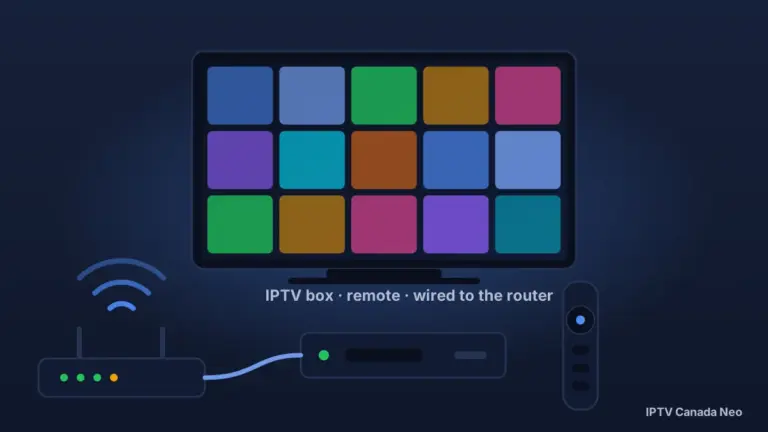
The subscription is the part that has content behind it. When you sign up with IPTV Canada Neo you get login details by email, and those details are what turn an empty player into a working channel list. If you are new to the whole idea, our beginner’s guide to IPTV explains how the pieces fit together.
Why paying for an app never adds channels
Several of the apps below charge an activation fee. That fee unlocks the software on your device — a nicer guide, recording, more than one playlist — and it has no effect whatsoever on what you can watch. TiviMate states this plainly in its own store listing: a premium upgrade “unlocks application features only; it does not include, or provide access to, any channels, streams, or media content.” If an app promises you channels for its fee, that is a warning sign rather than a bargain, and there is a section on that further down.
How we compared these apps
There is no ranked top ten on this page and no app is called number one. We do not run a testing lab, and inventing a league table would mean asking you to trust a judgment we cannot show our working for. Instead every app is measured against six things you can check yourself, and each one gets a “best for” verdict that names the criterion it follows from. One thing this page deliberately does not do is diagnose playback problems: a stream that stutters is rarely the app’s fault alone, and our guide to IPTV buffering in Canada works through where the problem actually is.
- Which login types it accepts. First on the list, because it decides whether an app works with a given subscription at all. An app that only takes an M3U link cannot use Xtream Codes credentials.
- Which platforms it genuinely runs on. Taken from the developer’s own site or store listing, never from another provider’s blog post.
- What it costs and how. Free, free with advertising, a one-time activation, or a recurring licence — with the figure and the currency the developer actually charges in.
- Where you get it. An official TV app store, the developer’s own download, or sideloading only. This matters more than it used to: newer Amazon Fire TV sticks cannot sideload at all.
- How deep the features go. Programme guide, catch-up, recording, multiple playlists, multi-view.
- Whether it is still being maintained. The last-updated date on the official listing. It is the one quality signal we can cite rather than assert, and it separates a player updated last month from one last touched three years ago.
Which apps work with our service
Our own customers are set up on IBO Pro Player, HotPlayer, TiviMate, IPTV Smarters Pro, and MyTVOnline 2 or MyTVOnline 3 on compatible Formuler boxes. We also maintain a setup guide for XCIPTV Player, which is a reasonable choice on Android devices.
That is a statement about which apps our support team works with every day, not a claim that each of them runs on every platform. Platform-by-platform details in this guide come from the app developers themselves; for a device-first view — which of these players is documented for the device you already own, and with which login type — see our IPTV device compatibility table.
The credentials we issue
Depending on your device, your app and how your line is set up, your subscription can be used with:
- Xtream Codes credentials — a server URL, a username and a password.
- An M3U URL — a single long web address containing the whole channel list.
- MAC address and portal, where that suits the device.
Which of those you end up using depends on the combination in front of you, and not every app supports every type — that is precisely why the comparison table below puts login types in its own column. Our setup guide explains what each credential type looks like and where it goes.
Every app at a glance
Swipe the table sideways to see every column.
| App | Type | Platforms, as the developer lists them | Login types | Cost | Last updated |
|---|---|---|---|---|---|
| IBO Pro Player | Standalone player | Android, Apple, Samsung, LG, Roku, Windows, ZEASN, Whale OS | M3U playlist | One-time activation by in-app purchase; $12.99 on the Canadian App Store (Sept 2026), other platforms not published | $12.99 iOS/tvOS (App Store, can change) |
| HotPlayer | Standalone player | Samsung, LG, Android TV, Fire Stick, VIDAA, Roku, Whale TV, Titan OS | M3U playlist, with MAC locking | 30-day free trial, then roughly €6 for a year or €15 once, charged in Moroccan dirham | Not published |
| TiviMate | Standalone player | Android TV; explicitly not optimised for phones or tablets | M3U, Xtream Codes, Stalker Portal | Free, with a paid Premium upgrade whose price is not published | 22 June 2026 |
| IPTV Smarters Pro | Standalone player | Samsung Smart TV on the listing we could verify | Xtream Codes API | Free | 18 May 2023 |
| XCIPTV Player | Standalone player | Android TV, Android phones, Android tablets | Xtream Codes API, EZServer, M3U URL | Free, with advertising | 12 August 2026 |
| Smart IPTV | Standalone player | LG, Samsung, Android and Google TV, VIDAA, MAG set-top boxes | Playlist uploaded against your MAC or device ID | One-time 5.49 EUR per TV or device | Not published |
| SmartOne IPTV | Standalone player | Samsung Tizen and Orsay, LG webOS and Netcast, VIDAA, Foxxum, Vestel, Android TV, Google TV, Fire TV | Xtream Codes panel API, M3U | Not published | Not published |
| Smart STB | Set-top-box emulator | Samsung, LG, Android TV, Apple TV, Fire TV, Chromecast, iOS, Android | Emulates a set-top box and its portal | 7-day free trial; full licence €1.99 a month, €14.99 a year or €24.99 once | Not published |
| GSE Smart IPTV Pro | Standalone player | iPhone, iPad, iPod touch, Apple Vision — not Apple TV, not Mac | Xtream Codes API, M3U, JSON | CA$3.99 on the Canadian App Store | Not published |
| VLC | General media player | Windows, macOS, Linux, Android, iOS, Apple TV, Chrome OS | Plays a stream or a playlist; no channel manager | Free and open source | Actively maintained |
| MyTVOnline 2, 3 and 4 | Built into the device | Formuler boxes only | Not published by Formuler | Included with the box | Ships with the device |
“Not published” in that table is deliberate. Several developers do not put an activation price or an update date on their site, and other comparison articles fill those gaps with numbers of their own invention. We would rather leave the cell honest.
The standalone players
IBO Pro Player
IBO Pro Player is a playlist-based player with unusually wide platform coverage. Its developer lists Android, Apple, Samsung, LG, Roku, Windows, ZEASN and Whale OS, which makes it one of the few players that reaches older televisions and newer ones alike. It works from an M3U playlist rather than an Xtream Codes login, and activation is a one-time in-app purchase. On the Canadian App Store the iPhone and iPad version lists that activation at $12.99 (as shown on the listing in September 2026 — App Store pricing can change); the developer’s own site still does not publish a figure for the other platforms.
It is the app we support most directly, and we have a full IBO Pro Player setup guide.
Best for: a television that most other players have given up on — measured on platform coverage, criterion 2.
HotPlayer
HotPlayer is a playlist player distributed through television app stores, which means no sideloading on the platforms where it is listed. The developer’s homepage names the Roku Store, the LG TV Store, the Samsung TV Store and Google Play, and its feature list includes a PIN lock, up to three saved playlists and a MAC lock that stops somebody else resetting your list. Pricing is a 30-day free trial followed by a one-time activation, charged in Moroccan dirham with a euro figure shown alongside — roughly €6 for a year or €15 for the permanent option when we checked on 11 September 2026. Its own FAQ names a slightly different figure than its pricing page, so treat both as approximate and check before paying.
Best for: a Samsung or LG TV where you would rather try an app for a month before paying for it — measured on cost model, criterion 3.
TiviMate
TiviMate is the most capable player in this comparison on the criterion most people care about second: the programme guide. It is also the only app here whose store listing documents all three login formats — “M3U, Xtream Codes, Stalker Portal” — which makes it the safest choice if you are not certain yet which credentials you will end up with.
Two caveats, both from the developer. It is “designed for Android TV and remote control navigation” and explicitly “not optimized for touch devices such as phones or tablets”, so it is a living-room app rather than a travelling one. And while the app installs free, the Premium upgrade that unlocks recording and multiple playlists is a paid in-app purchase whose price the developer does not publish on its website or its store page — you will see the current figure inside the app.
Best for: an Android TV box owner who wants the deepest programme guide and the widest login compatibility — measured on criteria 1 and 5.
IPTV Smarters Pro
IPTV Smarters Pro is the name most Canadians have heard, and it is free. The listing we could verify first-hand is the Samsung one, published by WHMCS Smarters, which states “Support Xtream Codes API” and is free to install. Worth knowing before you commit to it: that Samsung listing was last updated in May 2023. The developer’s own website was unreachable when we checked, so we are not going to repeat other sites’ claims about which other platforms carry it — ask us and we will point you at the right download for your device.
We publish a Smarters setup guide if you already know it is the one you want.
Best for: a first subscription where you want something free and familiar, and Xtream Codes credentials are what you have — measured on criteria 1 and 3.
XCIPTV Player
XCIPTV is the best-maintained free option on Android. Its Google Play listing, published by OTTRUN, was updated on 12 August 2026, it has passed ten million installs, and it accepts Xtream Codes credentials, EZServer and a plain M3U URL. It runs on Android TV, phones and tablets, which makes it more flexible than TiviMate if you want the same app on the sofa and on the train. It is free but carries advertising.
Best for: Android users who want one free app across TV and phone and do not mind ads — measured on criteria 2, 3 and 6.
Smart IPTV
Smart IPTV is the long-standing television app, running on “LG, Samsung, Android/Google TV, VIDAA and MAG STBs”. It works differently from the others: instead of typing credentials into the app, you upload your playlist against the TV’s MAC address or device ID on the developer’s website, and the app picks it up. Activation is a one-time 5.49 EUR per television or device — one of the few prices in this guide that is published plainly.
One administrative note: the developer has moved from siptv.eu to siptv.app. The old address still redirects, but the new one is where the activation and playlist pages now live. We have a Smart IPTV setup guide for the details.
Best for: a Samsung or LG owner who wants to pay once, know the figure in advance, and never think about it again — measured on criterion 3.
SmartOne IPTV
SmartOne has the broadest television coverage of any app here: Samsung Tizen and the older Orsay, LG webOS and the older Netcast, VIDAA sets from Hisense and Toshiba, Foxxum platforms including Panasonic, TCL and Sharp, Vestel televisions, plus Android TV, Google TV and Fire TV. It takes both Xtream Codes panel credentials and M3U playlists. The developer does not publish an activation price anywhere on the site, which is the one thing keeping it out of the top of the short answer. Our SmartOne guide covers the configuration.
Best for: an older or less common television — a Vestel, a Foxxum-based Panasonic, a Netcast LG — where nothing else is listed. Measured on criterion 2.
Smart STB
Smart STB is a different kind of software. Rather than reading a playlist, it makes your television behave like a dedicated set-top box, which is why it is relevant only when a MAC and portal setup is the right fit for your device. It covers Samsung, LG, Android TV, Apple TV, Fire TV, Chromecast, iOS and Android, and it is the only app here with a genuine ladder of prices: a 7-day free trial, then a full licence at €1.99 a month, €14.99 a year, €24.99 once, or €49.99 for the unlimited tier, with the full licence covering up to five devices. There is a cheaper Lite licence from €3.99 a year. See our Smart STB guide before choosing it.
Best for: a household with several televisions on a portal-style setup, where one licence across five devices is cheaper than activating each one separately. Measured on criteria 1 and 3.
GSE Smart IPTV Pro
On an iPhone or iPad the field narrows quickly, and GSE Smart IPTV Pro is the clearest option: CA$3.99 on the Canadian App Store, with support for the Xtream Codes API as well as M3U and JSON playlists. Note what it does not cover — the listing is for iPhone, iPad, iPod touch and Apple Vision only. It will not install on an Apple TV or a Mac. Our guide to IPTV on iPhone and iPad has more.
Best for: watching on an iPhone or iPad, where the price is published and the login type matches what we issue. Measured on criteria 1, 2 and 3.
VLC — useful, but not for daily viewing
VLC is free, open source, runs on practically everything, and will happily play a stream you hand it. What it will not do is manage a channel list, show a programme guide or remember your favourites, because it was never built to. Treat it as a diagnostic tool: if a single stream plays in VLC on your computer but not in your player on the television, you have learned something useful about where the problem is. Our VLC guide covers that use.
Best for: testing whether a stream works at all. Not a replacement for a real player — measured on criterion 5.
When the player comes with the box
Not every device asks you to choose. On some hardware the player is the device software, and installing something else would be a step backwards. This is the distinction most app comparisons skip entirely.
MyTVOnline on Formuler boxes
Formuler ships its own player, and which version you get depends entirely on the model you bought. Formuler publishes the mapping:
Swipe the table sideways to see every column.
| Version | Ships on |
|---|---|
| MyTVOnline 2 | Z10, Z10 Neo, Z10 SE, GTV |
| MyTVOnline 3 | Z11 Pro, Z11 Pro Max |
| MyTVOnline 4 | Z12 Ultra SE, Z12 Pro |
We support MyTVOnline 2 and MyTVOnline 3 on compatible Formuler devices. Formuler’s own pages conflict on the Z12 Ultra — its product page shows MyTVOnline 3 — so on that model check the version shown on the box. Formuler’s help desk documents three login types for MyTVOnline on all its models: Xtream Codes, M3U playlists and MAC portals. Our MyTVOnline guide covers where to enter each, and our IPTV box guide covers whether a Formuler is the right purchase in the first place.
BuzzTV boxes
BuzzTV also ships its own player. The X5 SS, which runs Android 13, comes with BuzzTV 5, though BuzzTV now files that model under previous generations and describes BuzzTV 6 as the current version of the app. The manufacturer does not publish which boxes ship which version, so check the box in front of you rather than an article.
MAG and portal boxes
MAG boxes from Infomir are portal devices by design — the software is the box, and there is no app to install. They are relevant when a MAC and portal setup is the right fit for your line.
The app store already on your television
Samsung, LG and VIDAA televisions all carry their own app stores, and most of the television players in this guide are distributed through them rather than as downloads. That is a genuine advantage: nothing to sideload, and the app updates itself.
Free, one-time or subscription — what you actually pay
Free and free with advertising
IPTV Smarters Pro is free. XCIPTV is free with advertising. TiviMate installs free and only asks for money when you want Premium features. VLC is free and open source with, in its developer’s words, “no spyware, no ads and no user tracking”.
One-time activation
Smart IPTV charges 5.49 EUR once per television or device. HotPlayer charges once after its 30-day trial, in the region of €15 for the permanent option. IBO Pro Player uses a one-time in-app purchase whose amount the developer does not publish. GSE Smart IPTV Pro is a straightforward CA$3.99 purchase on the App Store. In every case the fee is per device, not per household, which matters if you have three televisions.
Recurring and lifetime licences
Smart STB is the only app here with a real pricing ladder, and it is the only one where a household with several televisions can come out ahead: the full licence covers up to five devices at €24.99 once, against paying per device everywhere else.
What our VIP plan covers
IBO Pro Player is a paid player, and app activation is normally a separate transaction from your IPTV subscription. Where it applies, we can cover the IBO Pro Player activation for you — ask our support team whether your plan includes it before you pay the developer directly. That is the specific arrangement; it is not a blanket promise that every paid player is included with a subscription, and no other app in this guide is covered.
A “free app with channels” is something else entirely
Every legitimate player in this guide ships empty and says so on its own homepage. An app that arrives with a channel list already inside it is not a player with a generous developer — it is a different kind of product, with different questions attached. Our guide to IPTV and Canadian law covers where those questions lead.
Which app for your device
Fire TV Stick
Check which stick you own before you choose anything. The older Fire OS models will install players from outside the Amazon Appstore; the newest ones run Vega OS and will not. That single fact decides your shortlist, and our setup guide has a section that helps you identify your model before you start. On a Fire OS stick, TiviMate and IPTV Smarters Pro are the usual choices; SmartOne and HotPlayer both list Fire TV support as well.
Android TV and Google TV boxes
The richest choice of any platform. TiviMate if the programme guide matters to you, XCIPTV if you would rather not pay for anything. Both come from their respective official stores.
Samsung and LG televisions
Smart IPTV if you want a published one-time price, HotPlayer if you would rather trial it for a month first, SmartOne if your set is older than either of them supports. All three are installed from the television’s own app store.
Hisense and other VIDAA televisions
Smart IPTV, SmartOne and HotPlayer all list VIDAA support. SmartOne names Hisense and Toshiba specifically.
iPhone and iPad
GSE Smart IPTV Pro at CA$3.99. IBO Pro Player also lists Apple among its platforms. Remember that the GSE listing does not extend to Apple TV.
Windows and Mac
IBO Pro Player lists Windows. VLC runs everywhere and is the right tool for checking whether a stream works. Our guide to using IPTV on a computer goes further.
What about Roku?
Roku is not a supported platform for our service. Two of the developers in this guide list a Roku version of their app, and that may well be accurate for their software. We have not verified a working end-to-end setup on Roku with our own subscription, so we are not going to present it as a path that works. If Roku is the only device you own and you want to use our service, the honest recommendation is to add a compatible streaming device — an Android TV box or a Fire OS stick — rather than spend an evening trying.
TiviMate or IPTV Smarters Pro?
This is the comparison people search for most often, so it deserves a straight answer rather than a winner.
On login compatibility, TiviMate is ahead: its listing documents M3U, Xtream Codes and Stalker Portal, while the Smarters listing we could verify documents the Xtream Codes API. On cost, Smarters is ahead: it is free outright, whereas TiviMate’s useful features sit behind a Premium upgrade. On maintenance, TiviMate is ahead: updated in June 2026 against a Samsung Smarters listing last touched in May 2023. On where it runs, they serve different rooms — TiviMate is an Android TV app that its own developer says is not optimised for phones, while Smarters is a television app on the listing we verified.
So: Smarters if you want free and simple and you have Xtream Codes credentials. TiviMate if you have an Android TV box, you will use a programme guide every day, and you do not mind paying once for it. Neither answer is wrong, and the difference between them is smaller than the difference between a good internet connection and a bad one.
The apps we left out, and why
Leaving something out is a judgment, so here is the reasoning rather than a silent omission.
Swipe the table sideways to see every column.
| App | Why it is not in the comparison |
|---|---|
| Kodi | A media centre rather than an IPTV player — it needs add-ons before it can do this job at all, and it is the software at the centre of the Canadian “fully loaded box” court cases. |
| V12Mate | Another provider’s own app, described on their site as included with their subscriptions. Not a neutral recommendation to make. |
| Duplex IPTV | No current first-party source we could verify. |
| Perfect Player | Appears on many comparison lists, including our own older version of this page, but we could not find a current official source or a recent update. |
| Flix IPTV | Searching for an official source returns only a cluster of similar-looking domains, none clearly the developer’s. |
| OTT Navigator | Widely used, but we did not verify its current store status or price, so we have no sourced basis for an opinion either way. |
| Apps that arrive with channels | A different category of product, and outside what this guide is for. |
How to spot a clone app
This is a real problem and nobody warns about it. Search Google Play for a well-known IPTV player name and you will get a wall of near-identical results from developers you have never heard of, most of them copies riding on the reputation of the original.
Check the developer, not the app name
The app name is the part a copycat can duplicate for free; the developer name is harder to fake convincingly. TiviMate is published by Armobsoft FZE. XCIPTV is published by OTTRUN. If the name matches but the developer is an individual you cannot find anywhere else, you are not looking at the app you searched for.
Start from the developer’s own page
Every app in this comparison has an official website that links to its own store listings. Going to the developer first and following their link out is slower than searching the store directly, and it is the single most reliable way of ending up with the real thing.
Be suspicious of any app that promises channels
Real players go out of their way to tell you they contain nothing. If a listing advertises thousands of channels inside the app itself, it is making a promise the legitimate developers deliberately refuse to make.
Questions Canadians ask about IPTV apps
Which IPTV app is best for a smart TV?
It depends on the brand and the age of the set. On a Samsung or LG, Smart IPTV is the option with a plainly published price — a one-time 5.49 EUR per device — while HotPlayer gives you a 30-day trial before you commit. On an older or less common television, including Vestel sets and Foxxum-based Panasonic, TCL and Sharp models, SmartOne IPTV has the widest platform list of anything here. All three install from the television’s own app store, so there is nothing to sideload.
Which player is best for IPTV overall?
There is no single answer, which is why this guide gives a verdict per situation rather than a ranking. If you want one recommendation to start from: on an Android TV box, TiviMate has the deepest programme guide and is the only player whose listing documents M3U, Xtream Codes and Stalker Portal. On a television, it comes down to which app supports your brand.
What is the best free IPTV app for a Firestick?
On a Fire OS stick that can still install apps from outside the Amazon Appstore, IPTV Smarters Pro is free and XCIPTV is free with advertising. Before you choose, check which Fire TV Stick you own — the newest models run Vega OS and install only from the Amazon Appstore, which rules out sideloading entirely.
Which IPTV app works best on a Firestick?
TiviMate and IPTV Smarters Pro are the two most commonly used on Fire OS models, and SmartOne IPTV and HotPlayer both list Fire TV support as well. The model of stick matters more than the app: identify whether yours runs Fire OS or Vega OS first, because that decides what can be installed at all.
How much is TiviMate Premium in Canada?
TiviMate does not publish the Premium price on its website or on its Google Play listing, and the store page shows only that in-app purchases exist without naming a figure. The app itself is free to install, and the current price of the Premium upgrade is shown inside the app on your own device. We are not going to quote a number we cannot source.
Is IPTV Smarters Pro free?
Yes. The Samsung app store listing published by WHMCS Smarters shows it as free and states that it supports the Xtream Codes API. Worth knowing that the same listing was last updated in May 2023, which is a long gap compared with players updated in 2026.
Do I need a paid app to use my subscription?
No. Several capable players cost nothing — IPTV Smarters Pro is free, XCIPTV is free with advertising, and TiviMate installs free. Paid activations buy software features such as recording, multiple playlists or a better guide. They never add channels, and every developer in this guide says so on its own site.
Can I use the same app on more than one device?
The app usually installs on as many devices as you like, but a paid activation is normally tied to one device. Smart IPTV charges 5.49 EUR per television or device, and most of the others work the same way. Smart STB is the exception: its full licence covers up to five devices, which can work out cheaper for a household with several televisions. How many devices can stream at once is a question about your subscription, not about the app.
Which app should I use on an Apple TV?
Not GSE Smart IPTV Pro — its App Store listing covers iPhone, iPad, iPod touch and Apple Vision, and does not include Apple TV or Mac. Smart STB lists Apple TV among its supported platforms, and IBO Pro Player lists Apple generally. Check the current listing for your exact model before paying for anything.
Is there an IPTV app for Roku?
Some developers do list Roku versions of their apps. We have not verified a working end-to-end setup on Roku with our own service, so Roku is not a supported platform for our customers and we will not present it as one. If Roku is your only device, adding an Android TV box or a Fire OS stick is the practical answer.
Where these facts come from
Every platform list, price and update date above was taken from the developer’s own website or an official app-store listing on 11 September 2026. App developers change prices and drop platforms without announcing it, so check the current listing before you pay for anything.
- TiviMate — tivimate.com and the TiviMate IPTV Player listing on Google Play (Canada), publisher Armobsoft FZE.
- IPTV Smarters Pro — the Samsung app store listing published by WHMCS Smarters.
- XCIPTV Player — the XCIPTV PLAYER listing on Google Play (Canada), publisher OTTRUN.
- Smart IPTV — siptv.app, activation and about pages.
- SmartOne IPTV — smartone-iptv.com.
- Smart STB — smart-stb.net and its prices page.
- IBO Pro Player — iboproapp.com.
- HotPlayer — hotplayer.app.
- GSE Smart IPTV Pro — the Canadian App Store listing.
- VLC — videolan.org.
- Formuler MyTVOnline versions — formuler.tv.
- BuzzTV — buzztv.com.
Try it on your own device
The honest way to settle which app suits you is to run one. Our free trial needs no credit card and the login arrives by email — 36 hours on the Regular server, 24 hours on VIP, one device, your choice of server. Install whichever player from this guide matches your hardware, put the credentials in, and see how the guide and the picture feel on your own television.