Updated September 2026 — rewritten as a complete beginner’s guide for Canadian viewers.
IPTV stands for Internet Protocol Television: the channels arrive as data over the broadband line already running into your home, with no aerial or dish involved. You install an app on a TV, streaming stick, phone or computer, sign in with a login from an IPTV provider, and watch live channels with a program guide, catch-up on recent programs and an on-demand catalogue of films and series. Canadian telecom companies deliver their own television products the same way; independent IPTV subscriptions work on the same principle.
This guide answers the questions Canadians ask in the order they ask them: what IPTV is, how it works, what you need, what you can watch, whether it is legal, what it costs, which devices work, how it compares with cable and streaming apps, and how to try it. If you learn by doing, the quickest way to understand IPTV is to run it on your own TV — our free trial needs no credit card.
What is IPTV?
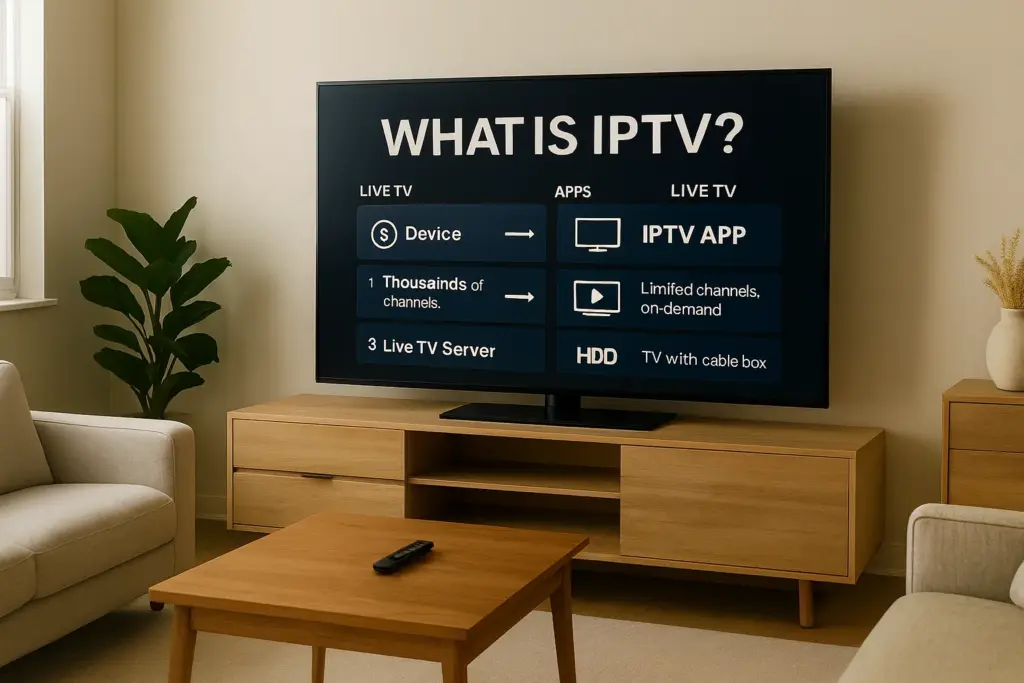
IPTV stands for Internet Protocol Television. It means television that travels to your screen as internet data — the same way a video call or a YouTube clip does — rather than as a broadcast signal on a cable or from a satellite. Because it is data, it can go to any device with an internet connection and an app, and it can carry far more channels and on-demand titles than a cable line has room for.
The three things people mean by “IPTV”
The word is used for three different products, which is why beginners get confused:
- Telco IPTV — Bell Fibe TV, Rogers Ignite TV, Telus Optik TV and similar services from Canadian internet providers. Licensed television bundled with the provider’s home internet, usually with a rented receiver.
- Independent IPTV subscriptions — services like IPTV Canada Neo. You buy a subscription online, receive a login by email and use it in an app on your own devices. This guide is mainly about this kind.
- Streaming apps — Netflix, Prime Video, Crave, Disney+, YouTube. Also video over the internet, but each is a separate service with its own catalogue and its own subscription. They are not IPTV in the usual sense, and an IPTV subscription does not include them (more on Netflix below).
Key terms in plain English
- Live TV
- Channels playing in real time, as on cable — news, sports, TVA, CBC.
- VOD (video on demand)
- Recorded films and series you pick from a catalogue and play at a time of your choosing, with no broadcast schedule to follow.
- Catch-up / time-shift
- Replaying a program that aired earlier on a channel that supports it.
- EPG (electronic program guide)
- The on-screen TV guide showing what is on now and next.
- Xtream Codes login
- The most common way to sign in: a server address, a username and a password that your provider emails you.
- M3U playlist
- An older way to load channels: a link to a playlist file. Most providers, including us, give you both.
- Portal (MAG)
- A single address you enter on MAG-type boxes instead of an app login.
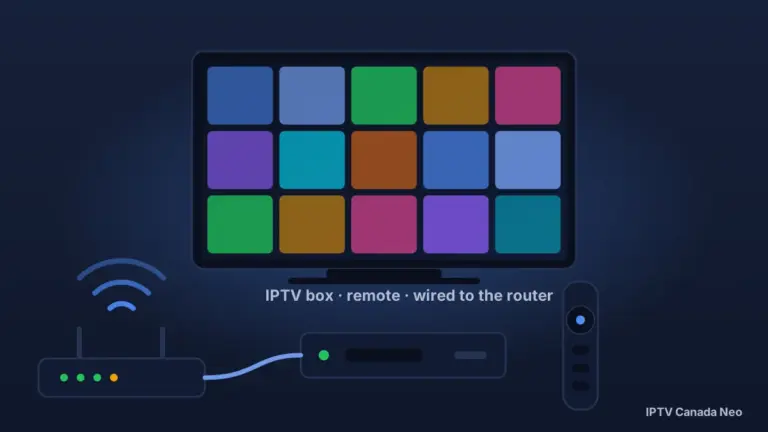
- IPTV box
- A small device that plays IPTV on a TV. Optional — a smart TV or a Fire TV Stick does the same job. See our IPTV box guide.
- Regular and VIP
- The two servers our subscription runs on: Regular (30,000+ live channels, 160,000+ movies and series in HD) and VIP (45,000+ channels, 300,000+ titles, 4K where the content carries it, built-in VPN).
For the technical history of the standard, Wikipedia’s article on Internet Protocol television is a good neutral reference.
How does IPTV work?
When you pick a channel, your app asks the provider’s server for that one stream, and the server sends it to your device over your internet connection. Only what you are watching is transmitted — cable pushes every channel down the wire at once — which is why a single IPTV subscription can offer tens of thousands of channels and a large on-demand library without a special line into your home.
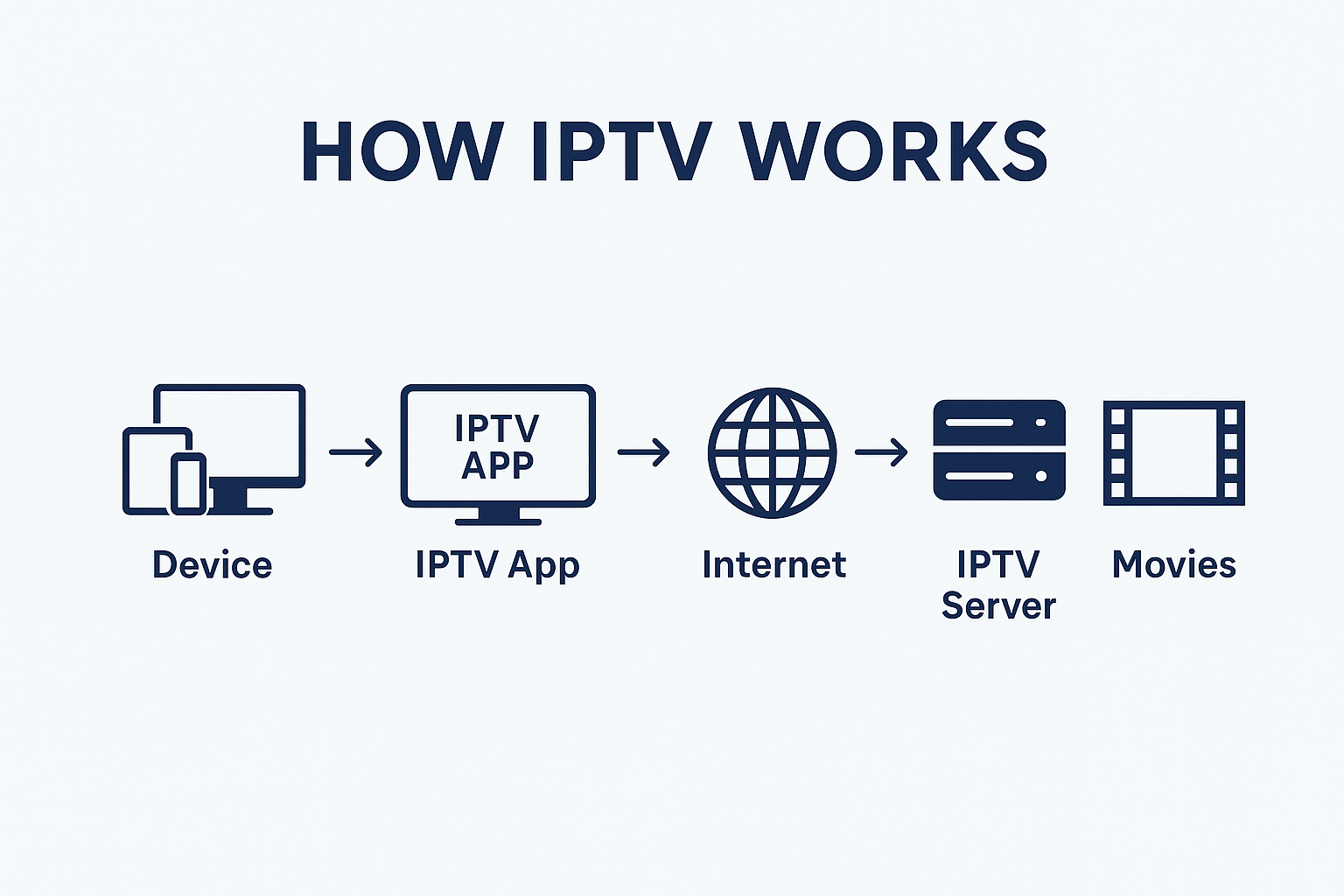
The five parts of an IPTV setup
| Part | What it is | Example |
|---|---|---|
| 1. Device | The screen or player that runs the app | Samsung or LG smart TV, Fire TV Stick, Android/Google TV box, Apple TV, phone, computer, Formuler or MAG box |
| 2. App | The player that shows the guide and plays the streams | IPTV Smarters, TiviMate, IBO Player, MyTVOnline (Formuler), Smart STB |
| 3. Internet | Your normal home connection | Any standard Bell, Rogers, Telus, Vidéotron, Cogeco or TekSavvy plan |
| 4. Provider server | Where the channels and library live; your login unlocks it | IPTV Canada Neo — Regular or VIP server |
| 5. Content | What you actually watch | Live channels with EPG, catch-up, movies and series on demand |
Live TV, on demand and catch-up: three kinds of content, one login
An IPTV subscription usually combines all three. Live TV works like cable channels with a guide. On demand is the library you browse like a streaming app. Catch-up lets you go back and play something that aired earlier on channels that support it. You switch between them inside the same app with the same login; there is nothing separate to buy.
Why the picture depends on your connection
Because the stream arrives over your internet, the connection sets the quality. Count on roughly 15 Mb/s per HD stream and 25 Mb/s per 4K stream; nearly every home plan in Canada is well above that. What matters more is stability: a wired Ethernet connection or 5 GHz Wi-Fi gives a steadier picture at 8 pm than a weak 2.4 GHz signal across the house. If your stream slows down only in the evening on an otherwise fast connection, a VPN often helps — it is built into our VIP server, and on Regular a VPN app on your device does the same job.
What do you need to use IPTV in Canada?
Three things: a home internet connection from any Canadian provider, a device that runs an IPTV app, and a subscription (a login) from an IPTV provider. No technician visits, no receiver is rented and nothing is added to your modem.
1. Internet
Any standard plan from Bell, Rogers, Telus, Vidéotron, Cogeco, TekSavvy or another Canadian ISP qualifies. You do not change provider and you do not need a special package — IPTV is simply another use of the connection you already pay for.
2. A device
Most people already own one: a recent Samsung, LG, Sony, TCL or Hisense smart TV, an Amazon Fire TV Stick, an Apple TV, a phone or a laptop. A dedicated box is optional and makes sense if your TV is old or you want a remote built for live TV; our guide to IPTV boxes in Canada compares the options, including the 2026 change to Amazon’s Fire TV Sticks.
3. A subscription and a login
This is the part beginners underestimate: the device and the app contain no channels. The channels come from the provider’s server, and your subscription is the login that unlocks it — typically a server address, a username and a password sent by email. With IPTV Canada Neo you choose one of two servers: Regular (30,000+ live channels and 160,000+ movies and series in HD) or VIP (45,000+ channels, 300,000+ titles, 4K on the live channels and on-demand content that carry it, and a built-in VPN). It is one subscription either way; the pricing page explains the difference.
What can you watch with IPTV?
Live channels with a program guide, catch-up on recent programs, and an on-demand library of movies and series. On our service that means Canadian networks such as CBC, CTV, Global and Citytv; the TSN and Sportsnet sports feeds; RDS, TVA and TVA Sports in French; US, UK and international channels; and language packages such as Punjabi, Hindi, Tamil, Arabic, Portuguese and Italian. The full list by category and region is on our channels list.
Canadian and French-language channels
The channels most Canadians switch for are the national networks (CBC, CTV, Global, Citytv), the sports networks (TSN 1–5 and the Sportsnet feeds, including the regional ones) and, for francophone households, RDS, TVA and TVA Sports. Our IPTV Québec page lists the French lineup in detail and our IPTV in Ontario page covers the Ontario networks and teams. Channel lineups change over time, so if one specific channel matters to you, check it during the free trial.
Sports
Sports on IPTV works by network: if a game is broadcast on TSN, Sportsnet, RDS or TVA Sports, that is where you find it, exactly as on cable. Which game airs on which network — and any regional blackout — is decided by the leagues and broadcasters, not by the IPTV service. We carry the networks; we do not promise every game.
Does IPTV include Netflix?
No. Netflix is a separate third-party subscription with its own app, and an IPTV subscription does not include a Netflix account or access to Netflix itself. The same is true of Prime Video, Crave and Disney+. What IPTV gives you is live television plus the provider’s own on-demand catalogue: on our VIP server that catalogue is larger (300,000+ titles) than on Regular (160,000+), but it is our library, not Netflix’s. If you want Netflix or Prime, you keep those subscriptions — a smart TV, Fire TV or Google TV device runs their apps and an IPTV app side by side.
Is IPTV legal in Canada?
The technology is legal — it is how Bell, Rogers and Telus deliver their own TV services. What the law looks at is whether the programs are distributed with the rights holders’ permission, and that depends on the provider, not on the technology. The CRTC lists cable, satellite and IPTV as the subscription ways to watch TV in Canada and notes that online video services are not licensed by the CRTC; copyright, governed by Canada’s Copyright Act, applies to any service regardless of how it is delivered. We are not lawyers, and this guide is not legal advice: for the full picture — what copyright means for viewers, what Canadian courts have and have not done, and how to tell a transparent provider from a risky one — read our guide to IPTV and the law in Canada.
What a careful buyer checks before paying any provider:
- A real free trial without a credit card and a written refund period.
- Named channels on the website, not just a channel count.
- Support you can actually reach, in your language.
- A normal retail device plus a subscription — not a box sold “fully loaded” with someone else’s service (see the box guide).
Sources: CRTC — Options to watch TV · Copyright Act (R.S.C., 1985, c. C-42), Justice Laws Website.
How much does IPTV cost in Canada?
With IPTV Canada Neo, Regular plans start at $19.99 for one month and $59.99 for 12 months on one device, and VIP 4K plans start at $39.99 a month. Prices are in US dollars, there is no contract and no equipment rental, and paid plans have a 7-day refund period. Longer terms lower the monthly cost, and plans exist for 1 to 4 devices at the same time; the pricing page has every option and explains why billing is in USD. Your only other cost is the internet connection you already pay for and, if you choose to buy one, a device.
Which devices work with IPTV?
Almost any screen: Samsung and LG smart TVs, Android TV and Google TV, Amazon Fire TV, Apple TV, iPhone and iPad, Android phones and tablets, Windows and Mac computers, and dedicated boxes from Formuler, MAG and BuzzTV. The device runs an app; the app takes your login. This is the app we recommend for each, with the step-by-step guide.
Swipe sideways to see every column.
| Device | App | Guide |
|---|---|---|
| Samsung and LG smart TVs | IBO Player or Smart STB | Smart TV guide |
| Android TV, Google TV boxes and sticks | IPTV Smarters or TiviMate | Android TV guide |
| Amazon Fire TV Stick (Fire OS models) | IPTV Smarters or TiviMate | Firestick guide |
| Apple TV, iPhone, iPad | IPTV apps for iOS | iPhone and iPad apps |
| Windows and Mac | IPTV Smarters or VLC | Computer guide |
| Formuler boxes | MyTVOnline (built in) | Formuler guide |
| MAG boxes | Portal login | Setup guides |
Not sure which app to pick? Our round-up of IPTV apps compares them, and the tutorials hub has the installation steps for every device — this guide deliberately stops at “which device”, not “how to install”.
IPTV vs cable vs streaming apps in Canada
Cable (or telco TV) delivers a fixed channel package to a rented receiver on a term contract; IPTV delivers live channels plus an on-demand library to your own devices on a plan you can stop; streaming apps each deliver one catalogue of on-demand content with little or no live TV. Feature by feature, with no prices, because provider prices change and are on their own sites:
Swipe sideways to see every column.
| IPTV subscription | Cable / telco TV | Streaming apps (Netflix, Prime…) | |
|---|---|---|---|
| How it reaches you | Your internet connection, any ISP | Cable line or the telco’s own internet + receiver | Your internet connection |
| Contract | None — a plan ends unless you renew | Usually a term contract | Monthly, cancel anytime |
| Equipment | Your own devices | Rented receiver, often one per TV | Your own devices |
| Live TV with a guide | Yes | Yes | Little or none |
| On-demand library | Yes, included | Extra package or pay-per-view | Yes — each app’s own catalogue |
| Canadian sports networks | TSN, Sportsnet, RDS, TVA Sports in the lineup | With a sports package | No (except the leagues’ own apps) |
| French channels | In the same lineup | Often a separate package | Limited |
| Screens at once | 1 to 4 depending on the plan | Depends on rented equipment | Depends on the plan |
| Try before you pay | Free trial, no card | Rarely | Sometimes |
| If you stop | Nothing to return | Return the equipment | Nothing to return |
Where IPTV wins
No contract and no equipment rental; one plan for every screen in the house; live TV and on-demand in the same app; French, English and international channels together; and it works anywhere you have internet, including a cottage or a second home.
Where cable or streaming apps still make sense
If your telco bundles TV with your internet and home phone at a discount you would lose, the maths can favour cable. If most of what you watch is Netflix, Prime or Crave originals, those services are the only place to get them — IPTV does not replace them. And because IPTV rides on your Wi-Fi, a home with a weak or unreliable connection will see that in the picture.
Is IPTV worth it in Canada? Who it suits
IPTV suits households that watch live television — news, sports, French or international channels — on several screens and want to stop renting equipment and signing contracts. It suits less well anyone who only watches streaming originals, or whose internet connection is unreliable.
- Good fit: a family with a smart TV in the living room and a Fire TV Stick in the bedroom that watches Canadian news and hockey.
- Good fit: a francophone or multilingual household that wants TVA and RDS next to Punjabi, Arabic or Portuguese channels without three packages.
- Good fit: anyone who wants to test TV on their own connection for a day before paying a cent.
- Poor fit: someone whose viewing is entirely Netflix and Prime originals.
- Poor fit: a home with a weak connection that already struggles with video calls.
How do you try IPTV?
The practical way to understand IPTV is to run it on your own TV for a day. Our free trial gives you 36 hours on the Regular server or 24 hours on VIP, on one device, with no credit card; the login arrives by email in about 5–30 minutes. Adult channels are not included in the trial, it is one trial per customer, and if you subscribe afterwards the same account simply continues.
- Request the trial and choose Regular or VIP on the form — how the free trial works.
- Check your email for the login (server address, username, password).
- Install the app for your device from the table above, sign in, and try a live channel, the guide, catch-up and one on-demand title at the time of evening you normally watch.
IPTV in Canada — questions beginners ask
What does IPTV stand for?
Internet Protocol Television: television delivered as internet data to an app on your device, instead of as a broadcast signal on a cable or from a satellite.
How is IPTV different from cable?
Cable sends every channel down a dedicated line to a rented receiver; IPTV sends only the channel you choose over your internet connection to an app on your own device. IPTV needs no receiver, no technician and no term contract.
How is IPTV different from Netflix or YouTube?
Netflix and YouTube are single services with their own catalogues and apps. IPTV is a service that carries live television channels with a program guide, plus its own on-demand library, in one app. They can run side by side on the same device.
Does IPTV include Netflix?
No. Netflix, Prime Video, Crave and Disney+ are separate subscriptions with their own apps; an IPTV subscription does not include a Netflix account or access to Netflix. IPTV provides live channels plus the provider’s own on-demand catalogue.
What internet speed do I need for IPTV?
About 15 Mb/s per HD stream and 25 Mb/s per 4K stream. Any standard Canadian home plan is enough; a wired connection or 5 GHz Wi-Fi gives the steadiest picture.
Do I need a special box for IPTV?
No. A recent smart TV, a Fire TV Stick, an Apple TV, a phone or a computer works. A dedicated box is optional — useful for an older TV or a live-TV remote. See our IPTV box guide.
Is IPTV legal in Canada?
The technology is legal; it is how Bell and Rogers deliver TV. Whether a particular service is lawful depends on whether its content is distributed with permission. Our legal guide explains what to check. This is general information, not legal advice.
Is IPTV blocked in Canada?
No — IPTV as such is not blocked. Canadian courts have ordered internet providers to block specific unauthorized services, and some networks manage video traffic at peak hours; neither stops a legitimate subscription from working on a normal home connection. If your stream slows only in the evening, check your own Wi-Fi first; a VPN (built into our VIP server) is worth testing only when a network-level restriction appears to be involved.
What channels can you get with IPTV in Canada?
With our service: Canadian networks such as CBC, CTV, Global and Citytv, the TSN and Sportsnet feeds, RDS and TVA in French, US, UK and international channels, and Punjabi, Hindi, Tamil, Arabic, Portuguese and Italian packages. See the channels list.
How much does IPTV cost per month?
Regular plans start at $19.99 for one month and $59.99 for 12 months on one device; VIP plans start at $39.99 a month. Prices are in US dollars, with no contract and a 7-day refund period on paid plans.
Can I record or rewind with IPTV?
Catch-up lets you replay recent programs on channels that support it, and the program guide (EPG) shows what is on. Recording depends on the app and device — Formuler and BuzzTV boxes offer it, most stick apps do not; the box guide says which.
Is IPTV worth it?
If you watch live TV — news, sports, French or international channels — on more than one screen and want to stop renting equipment, usually yes. If you only watch streaming originals, no. The free trial is the honest way to find out on your own TV.