Updated September 2026 — rewritten for the 2026 device line-up, including Amazon’s Fire TV operating-system change.
An IPTV box is the small device that sits under your TV and plays internet television: live channels, a program guide, catch-up and on-demand movies. It is only the player. The channels themselves come from an IPTV subscription, which is a separate purchase from a provider such as IPTV Canada Neo — and our Canada IPTV service runs on every device on this page.
This guide is for three kinds of readers in Canada: you are buying your first box, you are replacing a Fire TV Stick or an old Android box, or you already own a device and want to know whether it will work. It compares seven boxes and sticks sold at Canadian retailers by clear criteria, explains the 2026 change on Amazon’s Fire TV Sticks that affects IPTV apps, and shows which of our setup guides to follow for each one. If you already have a device, you can skip the shopping and start a free trial — 36 hours on the Regular server or 24 hours on VIP, no credit card.
Do you actually need an IPTV box?
Before buying anything, check what you already own. A lot of Canadian households do not need a box at all.
If your TV is a Samsung, LG or Google/Android TV — probably not
Recent Samsung and LG smart TVs run IPTV apps such as IBO Player or Smart STB directly from their app stores, and any TV with Google TV or Android TV built in (Sony, TCL, Hisense and others) can install IPTV Smarters or TiviMate from Google Play. No extra hardware, one remote. Our Smart TV guide covers both.
If you have a Fire TV Stick or an Apple TV — you already own one
A Fire TV Stick is, functionally, an IPTV box the size of a USB key. Apple TV runs the iOS IPTV apps. In both cases the only thing you need is a login. See the Firestick guide or the iPhone, iPad and Apple TV apps post.
When a dedicated box is worth it
- Your TV is older, slow, or its app store has no IPTV players.
- You want a living-room experience built around live TV: a remote with number keys, channel up/down, a guide that opens instantly. Formuler and MAG boxes are designed for exactly this.
- You want recording (PVR) or time-shift on live channels.
- You have a 4K TV and a basic stick that only outputs HD.
- Several people share one TV and you want one simple remote instead of a phone app.
IPTV box vs IPTV subscription: what you are actually buying
These are two different purchases, and mixing them up is the most common mistake we see.
- The box (hardware). A one-time purchase from a retailer — Amazon.ca, Best Buy, Walmart.ca, the Google Store or an electronics shop. It belongs to you, it has no monthly fee, and it plays whatever service you sign into. IPTV Canada Neo does not sell hardware.
- The subscription (service). A recurring plan from a provider. Ours gives you 30,000+ live channels and 160,000+ movies and series on the Regular server, or 45,000+ channels and 300,000+ titles with 4K on the VIP server, on 1 to 4 devices depending on the plan. It works on every box below because it uses standard logins (Xtream Codes, M3U, or a MAG portal address).
A word about boxes sold “fully loaded” — pre-configured with someone else’s service, usually from a classified ad or a small shop. You do not know what is inside, the service stops when the seller stops, there is no trial and no refund, and it is the part of the market that gets shut down. The safe path is a normal retail box plus a subscription you can test first: our free trial needs no credit card, and paid plans have a 7-day refund period. Our guide to IPTV and the law in Canada explains the difference between the technology, which is legal, and the source of the content, which is what matters.
How we compared the boxes
Every recommendation below is tied to six criteria, so “best for” means best against these, not a personal ranking:
- Price in Canada — approximate retail price at Canadian retailers in September 2026. Prices change by retailer, promotion and date; treat them as a guide, not an MSRP.
- Apps — which IPTV apps it runs, and whether you can install apps from outside its store.
- 4K and HDR — what the box can output to a 4K TV.
- Connection — Wi-Fi standard and whether it has an Ethernet port (wired is the most stable for live sports).
- Setup difficulty — for someone who has never used IPTV.
- Extras — recording, voice remote, Netflix/Prime certification, number of remotes.
The best IPTV boxes in Canada in 2026, compared
Seven devices in three families: streaming sticks and streamers, dedicated IPTV boxes, and one premium Android TV box. On a phone, swipe the table sideways to see every column.
Swipe sideways to see every column.
| Device | OS and app freedom | 4K / HDR | Connection | Price in Canada (Sept 2026) | Best for |
|---|---|---|---|---|---|
| Amazon Fire TV Stick 4K Max (2nd gen)Streaming stick | Fire OS — installs apps outside the store | 4K, HDR10+, Dolby Vision | Wi-Fi 6E, no Ethernet | About $130 (Amazon.ca) | Cheapest way in; the last Fire TV Stick line that still sideloads |
| Formuler Z11 Pro MaxDedicated IPTV box | Android 11 — MyTVOnline 3 built in, installs apps | 4K60, HDR10+, HLG | Wi-Fi 6, gigabit Ethernet | About $240–270 | The living-room IPTV experience; best remote and guide |
| MAG 544w3 (Infomir)Dedicated IPTV box | Linux — portal login only, no app store | 4K60, HDR10, HLG | Dual-band Wi-Fi, Ethernet | About $140–145 | One job, done simply; no Netflix or Play Store |
| BuzzTV X5 SSDedicated IPTV box | Android 13 — BuzzTV 5 built in, installs apps | 4K | Wi-Fi 6, gigabit Ethernet | About $200–230 (X5 range) | Recording and time-shift, 128 GB storage |
| Google TV Streamer (4K)Streamer | Google TV — Google Play + sideload | 4K, Dolby Vision, HDR10+, HLG | Wi-Fi 5, gigabit Ethernet | CA$129.99 list (Google Store Canada) | Best all-rounder for IPTV plus Netflix, Prime and Disney+ |
| Nvidia Shield TV ProStreamer (premium) | Android TV — Google Play + sideload | 4K, Dolby Vision, AI upscaling | Wi-Fi 5, gigabit Ethernet | About $260 | Most powerful; 2019 hardware, no longer the best value |
| Budget Google TV boxes (onn 4K Pro, Xiaomi TV Box S)Streamer | Google TV — Google Play | 4K HDR | Wi-Fi, some with Ethernet | About $95–140 | App-based IPTV on a budget; no dedicated IPTV features |
Prices are approximate Canadian retail listings seen in September 2026 (Amazon.ca, Best Buy marketplace, Walmart.ca, Google Store) and change with retailer, promotion and date. IPTV Canada Neo does not sell any of these devices.
Amazon Fire TV Stick 4K Max — the cheapest way in, with one 2026 caveat
The 4K Max is the stick most Canadians already own: 4K with HDR10+ and Dolby Vision, Wi-Fi 6E, and Amazon’s Fire OS, which lets you install IPTV apps from the Amazon Appstore or, on Fire OS models, from outside it. Listed at about $130 on Amazon.ca in September 2026 and often discounted during sales events. The caveat is Amazon’s move to a new operating system on its newer sticks — read the next section before you buy any Fire TV product, because the model name matters. Best for: a first IPTV setup on a budget, or a second TV. Wrong choice if you want Ethernet or a live-TV remote. Setup: Firestick guide.
Formuler Z11 Pro Max — the dedicated IPTV box
Formuler builds boxes around live television. The Z11 Pro Max runs Android 11 with 4 GB of RAM and 32 GB of storage, Wi-Fi 6, gigabit Ethernet, Bluetooth 5.0 and 4K at 60 fps with HDR10+ and HLG, and it ships with MyTVOnline 3, an IPTV player with a real channel guide, catch-up and recording that opens the moment you press the power button. The remote has number keys and a channel rocker, which is why families who are leaving cable tend to prefer it. Canadian listings ran roughly $240–270 in September 2026 (the BT1 edition adds a voice remote); the cheaper Z11 Pro and Z10 SE and the newer Z12 are the same idea with less or more horsepower. Wrong choice if Netflix and Prime are your main use — Formuler boxes are built around IPTV, not around those apps; check the manufacturer’s app list if they matter to you. Setup: MyTVOnline on Formuler.
MAG 544w3 — one job, done simply
Infomir’s MAG boxes are the classic set-top-box approach: a Linux device with no app store, configured by entering a portal address that your provider gives you. The 544w3 outputs 4K at 60 fps with HDR10 and HLG, has dual-band Wi-Fi and Ethernet, and — as Infomir’s own comparison of the MAG 544 and MAG 555 explains — is built for people who already have an IPTV subscription and want nothing else on the box. Its sibling, the MAG 555, runs Google TV instead and behaves like the Google TV Streamer below. About $140–145 on Amazon.ca in September 2026. Best for: an older relative’s TV or anyone who wants a box that only does IPTV. Wrong choice if you want YouTube, Netflix or any other app. Setup: the MAG section of our setup guides.
BuzzTV X5 SS — Android with recording and 128 GB
BuzzTV’s X5 SS pairs Android 13 with 4 GB of RAM and 128 GB of storage, Wi-Fi 6, gigabit Ethernet and Bluetooth 5.0, and comes with BuzzTV 5, the company’s own IPTV app with PVR recording and time-shift, plus two remotes. Because it is Android, it also runs IPTV Smarters or TiviMate if you prefer them. X5-series listings ran about $200–230 in Canada in September 2026. Best for: recording games and shows, or a household that wants both a dedicated IPTV app and general Android apps. Setup: Android TV and boxes guide.
Google TV Streamer — the best all-rounder
Google’s replacement for the Chromecast is a small box with 4 GB of RAM, 32 GB of storage, 4K with Dolby Vision, HDR10, HDR10+ and HLG, Wi-Fi 5 and a gigabit Ethernet port — the Ethernet port alone puts it ahead of every stick for live sports. It runs Google TV, so IPTV Smarters and TiviMate install from Google Play next to Netflix, Prime Video and Disney+ in full quality. The Google Store Canada lists it at CA$129.99 (September 2026); Best Buy and Amazon.ca carry it at similar prices. Best for: one box for everything, in a modern interface. Wrong choice if you want a live-TV remote with number keys. Setup: Android TV and boxes guide.
Nvidia Shield TV Pro — the most powerful, no longer the best value
The Shield TV Pro is still the fastest Android TV box you can buy, with AI upscaling that makes HD channels look noticeably sharper on a 4K screen, and it runs every IPTV app. But the hardware dates from 2019, it sells for about $260 in Canada, and in 2026 the base Shield TV appears to have been quietly discontinued while the Pro remains on sale. Best for: enthusiasts who also use Plex, Kodi or game streaming. Wrong choice if IPTV is the only job — the Google TV Streamer does that for half the price. Setup: Android TV and boxes guide.
Budget Google TV boxes — onn 4K Pro and Xiaomi TV Box S
Walmart’s onn 4K Pro (about $95) and the Xiaomi TV Box S (about $140 on Amazon.ca) are ordinary Google TV devices: 4K HDR, Google Play, and therefore IPTV Smarters or TiviMate. They have no IPTV-specific features, but they are perfectly good players for a bedroom or a cottage TV. Setup: Android TV and boxes guide.
Fire TV in 2026: the operating-system change every Canadian buyer should know
Amazon is moving its Fire TV Sticks from Fire OS, which is based on Android, to a new operating system called Vega OS. The practical difference for IPTV is app installation: on Vega OS you can only install apps that are listed in the Amazon Appstore — there is no sideloading. This is not a rumour or a future plan; it already applies to some models on Canadian shelves, and the model name is the only way to tell them apart.
- Run Vega OS today (no sideloading): the Fire TV Stick 4K Select (2025), the second-generation Fire TV Stick HD (2026) and the third-generation Fire TV Stick 4K (2026), as listed in Amazon’s own device table.
- Still run Fire OS (sideloading works): the Fire TV Stick 4K Max, the Fire TV Stick 4K Plus, the first-generation Fire TV Stick HD (2024), the Fire TV Cube, and televisions with Fire TV built in.
- Future models: Amazon’s Vega OS announcement says it continues to launch devices on Fire OS as well, so treat each new model individually; our IPTV device compatibility table tracks every Fire TV generation with the players documented for it.
These details come from AFTVnews’s model-by-model list (June 2026) and Cord Busters’ report on Amazon’s confirmation (April 2026). To check a stick you already own, go to Settings → My Fire TV → About: Vega OS version numbers start with 1, Fire OS versions start with 3, 5, 6, 7, 8 or 14. What this means when you shop: if you want the freedom to install any IPTV player, buy the 4K Max or 4K Plus while they are sold, or choose a Google TV device instead. If you buy a Vega OS stick, check that the app you plan to use is in the Amazon Appstore first.
4K, HDR and which server to pair with your box
What 4K actually needs
Four things, all of them required: a 4K television, an HDMI port that supports it (HDMI 2.0 or newer), a box that outputs 4K — every device in the table does — and enough internet reaching the box itself. There is no universal IPTV figure for that: for comparison, Netflix recommends 15 Mbps or higher for its own 4K streams (a Netflix recommendation, not an IPTV requirement), and live television is usually less compressed, so a speed test at the box comfortably above that leaves headroom. Wired Ethernet or 5 GHz Wi-Fi is what keeps a 4K hockey game stable when the rest of the house is online; the Formuler, MAG, BuzzTV, Google TV Streamer and Shield all have Ethernet ports, the sticks do not.
Regular or VIP on a box
The box does not decide the picture quality — the subscription does. Our Regular server delivers HD and Full HD on any device and is the right choice for most households. The VIP server adds 4K on the live channels and on-demand content that carry it, a larger library and a built-in VPN, and it is the natural pairing for a 4K box on a 4K TV. You can test either one free: the trial runs 36 hours on Regular or 24 hours on VIP, on one device, with no credit card.
Which app to use on each box
The box is the hardware; the app is what you sign into. This is the app we support for each device, with a link to the step-by-step guide. If you want the apps compared against each other rather than matched to a box, see our guide to the best IPTV apps in Canada.
| Your device | App we recommend | Guide |
|---|---|---|
| Fire TV Stick 4K Max / 4K Plus / Fire TV Cube (Fire OS) | IPTV Smarters or TiviMate | Open the guide |
| Fire TV Stick 4K Select, 2026 Fire TV Stick HD (Vega OS) | Only apps listed in the Amazon Appstore — check availability before buying | Open the guide |
| Formuler Z-series | MyTVOnline 3 (built in) | Open the guide |
| MAG 544w3 and other Linux MAG boxes | Portal login (no app) | Open the guide |
| BuzzTV X5 and other BuzzTV boxes | BuzzTV 5 (built in), IPTV Smarters or TiviMate | Open the guide |
| Google TV Streamer, Shield TV Pro, onn, Xiaomi, MAG 555 | IPTV Smarters or TiviMate from Google Play | Open the guide |
| Samsung and LG smart TVs (no box) | IBO Player or Smart STB | Open the guide |
| Apple TV, iPhone, iPad (no box) | IPTV apps for iOS | Open the guide |
Setting up your box with IPTV Canada Neo — the short version
1. Get a login first
Request the free trial (Regular 36 hours or VIP 24 hours, no credit card) or choose a plan on the pricing page. Your login arrives by email, usually within 5–30 minutes, and the same account continues if you subscribe after the trial.
2. Install the app for your box
Use the table above: MyTVOnline on Formuler, the portal address on MAG, BuzzTV 5 or Smarters on BuzzTV, Smarters or TiviMate on Google TV and Fire OS devices. Each guide walks through the exact screens.
3. Sign in and test the things that matter
Open a live channel, scroll the program guide, replay something on a channel with catch-up, search the on-demand library for one film — and on VIP, open a 4K channel. Do this at the time of evening you normally watch, on the connection you will actually use. If anything stutters during that test, our guide to IPTV buffering in Canada shows how to tell whether it is the box, the Wi-Fi or the stream.
What is an IPTV box and how does it work?
How the stream reaches your TV
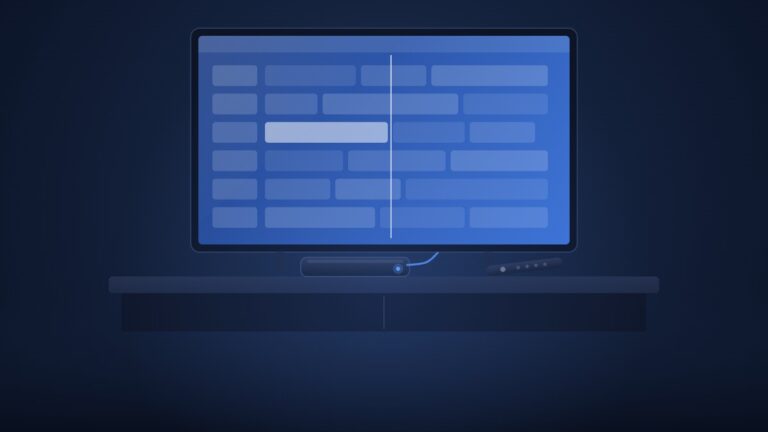
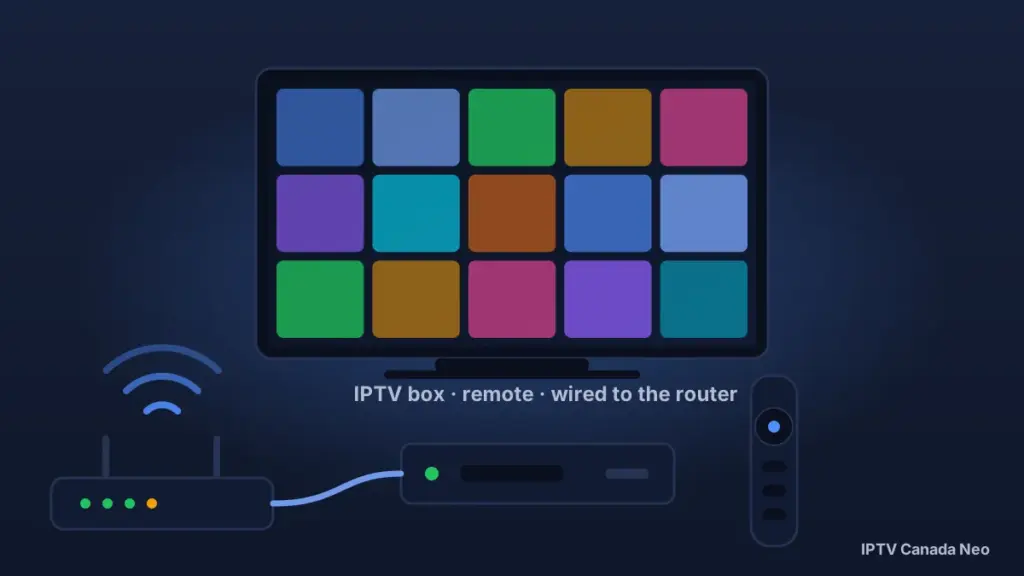
IPTV stands for Internet Protocol Television. Nothing is broadcast to your home — the channels reach the box as ordinary network traffic on the broadband line you already pay for. When you pick a channel, the box requests that one stream from your provider’s servers and plays it — only the channel you are watching is sent to your home, which is how a single subscription can offer tens of thousands of channels. The box connects to your TV by HDMI and to the internet by Wi-Fi or Ethernet; the app handles the guide, catch-up and on-demand library. If you are new to the subject, start with our guide What is IPTV?.
What to look for in any box
- Enough memory to keep the guide and channel switching fast — 2 GB of RAM is the floor, 4 GB is comfortable.
- 4K output if you own or plan to buy a 4K TV.
- An Ethernet port for the main living-room TV.
- A remote you will actually enjoy using for live TV — number keys and a channel rocker matter more than they sound.
- An operating system that lets you install the IPTV app you want, or a box that ships with a good one built in.
IPTV box FAQ — Canada
Is an IPTV box legal in Canada?
Yes. A box is a media player like any streaming stick, and the technology is the same one Bell and Rogers use to deliver their own TV. What matters legally is the content source you sign into, not the hardware. Our legal guide explains the distinction in detail.
What does an IPTV box do?
It plays internet television on your TV: live channels with a program guide, catch-up on recent programs, and on-demand movies and series, all from one remote. It needs an internet connection and a subscription from an IPTV provider; the box itself contains no channels.
How much does an IPTV box cost in Canada?
In September 2026, Canadian retail listings ran from about $95 for a budget Google TV box to about $130 for a Fire TV Stick 4K Max or Google TV Streamer, $140–145 for a MAG 544w3, $200–270 for BuzzTV and Formuler boxes and about $260 for a Shield TV Pro. Prices change with retailer, promotion and date. The subscription is separate: Regular plans start at $19.99 a month and VIP at $39.99, in US dollars, on the pricing page.
Which IPTV box is best in Canada?
It depends on what you value. Cheapest working setup: Fire TV Stick 4K Max. Best dedicated live-TV experience: Formuler Z11 Pro Max. Simplest box that does only IPTV: MAG 544w3. Best all-rounder with Netflix and Prime alongside IPTV: Google TV Streamer. Recording: BuzzTV X5. Maximum power: Shield TV Pro. All of them work with our service.
Do I need a box if I have a smart TV?
Usually not. Samsung and LG TVs run IBO Player or Smart STB, and Google TV and Android TV sets run IPTV Smarters or TiviMate. A box is worth it when the TV is old or slow, or when you want a live-TV remote and recording.
Does a Fire TV Stick still work for IPTV in 2026?
Yes — but check the model. The Fire TV Stick 4K Max, 4K Plus, first-generation Stick HD and Fire TV Cube run Fire OS and can install apps from outside the Amazon Appstore. The Fire TV Stick 4K Select and the 2026 Stick HD run Vega OS and can only install apps listed in the Appstore, and Amazon has said all future sticks will work this way.
What is a “fully loaded” IPTV box, and should I buy one?
It is a box sold with someone else’s IPTV service pre-installed, usually through a classified ad or a small shop. You cannot verify the service, there is no trial or refund, and it stops when the seller stops. Buy a normal retail box and add a subscription you can test first.
Can I use one subscription on my box and my phone?
Yes. Plans are sold for 1, 2, 3 or 4 devices, and the number you choose is how many screens can stream at the same time. The free trial is for one device.
Does IPTV Canada Neo sell IPTV boxes?
No. We provide the subscription only. Every device on this page is sold by Canadian retailers, and our service works on all of them.
How much does the subscription cost per month?
Regular plans start at $19.99 for one month and $59.99 for 12 months on one device; VIP plans start at $39.99 a month. Prices are in US dollars, there is no contract, and paid plans have a 7-day refund period. Full details are on the pricing page.
Ready to test your box? Start with the free trial
Whichever device you choose, the last step is the same: get a login and test it on your own TV. The free trial gives you 36 hours on the Regular server or 24 hours on VIP, on one device, with no credit card — your login is emailed within 5–30 minutes, adult channels are not included, it is one trial per customer, and the same account continues if you subscribe.